NullG is an anti-gravity racing engine built in C++20 with Vulkan for rendering. It combines legacy game asset imports with racing physics, weapons, multiplayer, and tools for testing and capturing gameplay.
The longer-term goal is a motion simulator pod, with acceleration, braking, cornering, and impacts feeding into physical movement. Positional audio and multiple displays are part of that plan too. Earlier projects such as the Car-cade and motion rig explored racing through custom hardware. NullG takes that work into the game engine.
Development started in January 2026 with AI-assisted planning and implementation. Over the following months, the work expanded into asset loading, rendering, physics, and automated tests. October added more direct access for agents to inspect the engine, run controlled scenarios, and review the results.
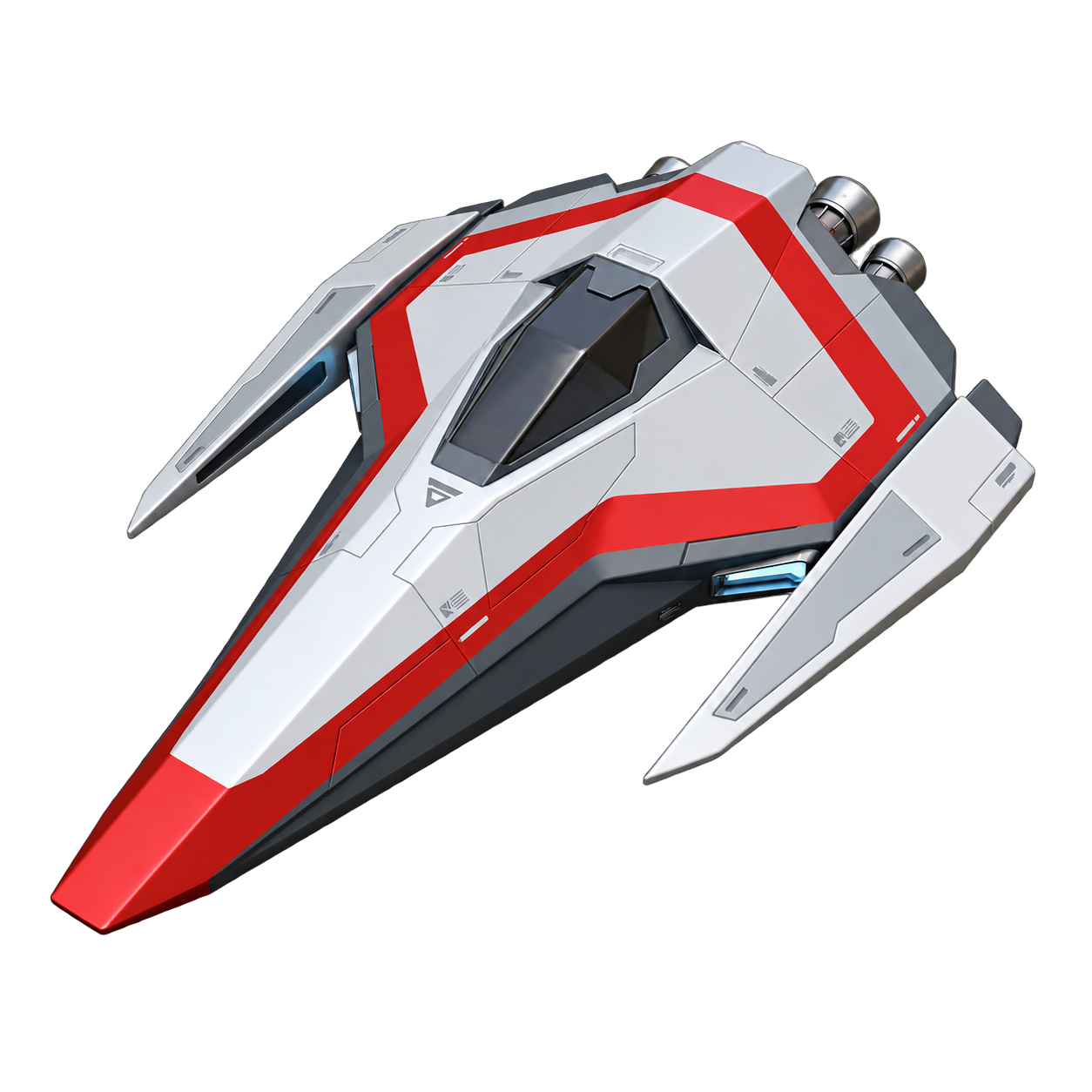
Original NullG ship artwork.
January: plans and the first renderer
The first git commit, dated January 22, 2026, contains the project outline, research files, architecture notes, and initial application code. The plans already covered asset conversion, input, audio, networking, computer-controlled opponents, and motion output. The application had a window, Vulkan setup, input handling, configuration, and logging.
The architecture put the race simulation at the center. Graphics and sound would use the state produced by the simulation, with motion hardware eventually reading the same data. This kept the simulator goal part of the engine design from the beginning.
Early development used Cursor, with project commands for planning, preparation, and review. The preparation step directed the agent to read reference material and trace the relevant code before making changes. Tasks were broken into smaller pieces, with examples and written decisions available for the next session.
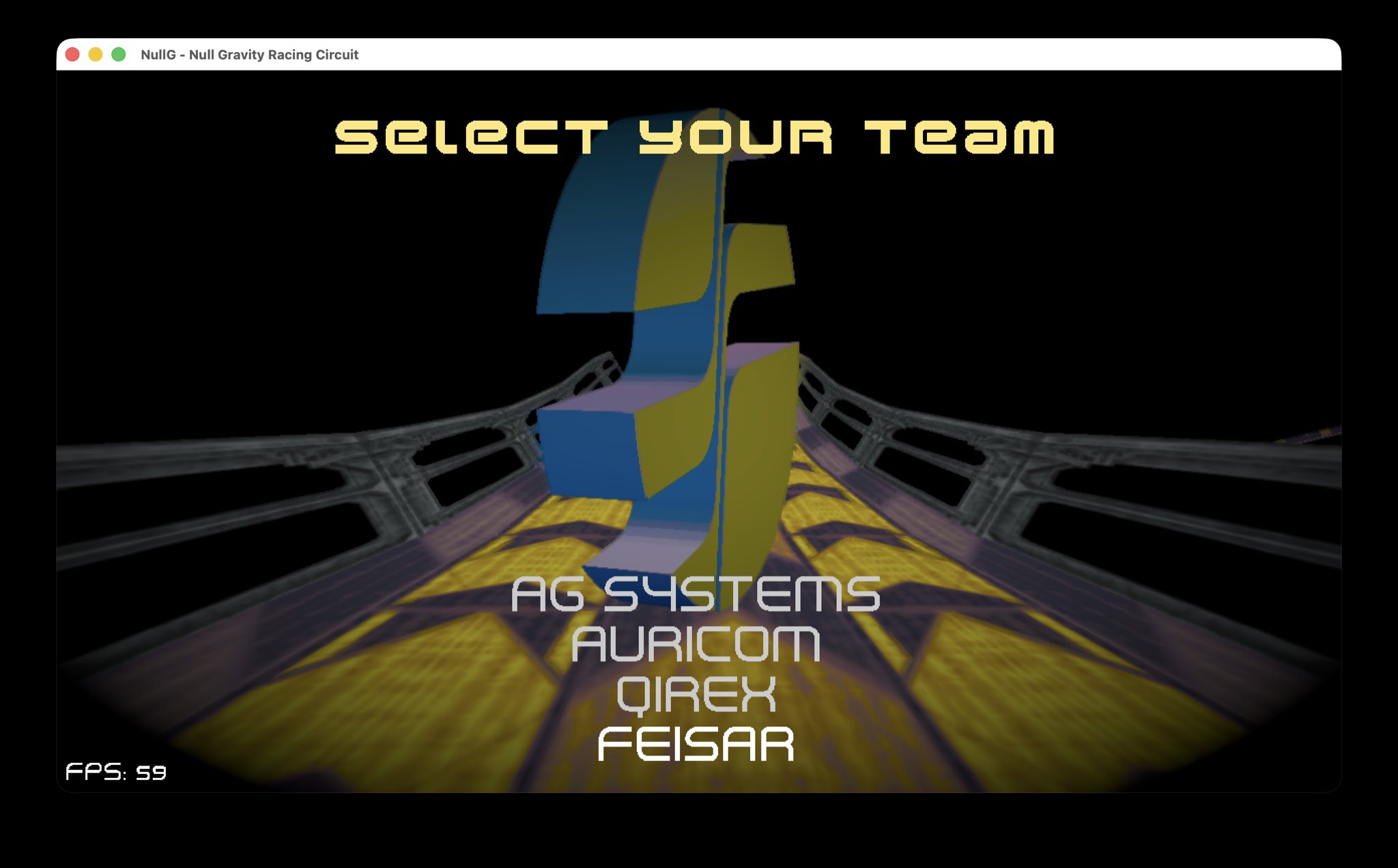
January 23 brought asset conversion tooling and the first renderer pass. Menus, model loading, asset management, and track parsing followed over the next few days. Existing WipEout research and community projects provided references for loading the ships, tracks, textures, and scenery.
February: loading the original assets
By February 8, the project had a direct PlayStation asset-loading checkpoint. Work during this period covered track rendering, scene objects, sprites, and texture transparency.
Loading the geometry, textures, and scenery together made it possible to check the imported data in the renderer. File-format notes and agent rules developed alongside the loaders, giving later tasks a record of how the assets were organized and used.
March: handling, race flow, and weapons
March focused more on how ships move around a track: hover height, coasting, weight, jumps, boost, recovery, and tunnel-wall collisions. Scene placement, sky textures, pickups, and boost pads also received attention, along with the camera moving through the track behind the menus.
Real-time lighting, shadows, and GPU particles added to the presentation. By March 6, the code included race-session flow and a weapon system, handling the transition into a race and back to the menus.
These changes were developed as individual tasks using the relevant code and reference material. Code review and updated implementation notes kept the decisions available as the systems grew.
May: rendering and automated tests
May brought a larger pass through the engine internals. The original engine plan was split into focused documents with a shared status index, making individual areas easier to track.
Renderer work included dynamic rendering, geometry access, material organization, and a move to Slang for runtime shaders. Lighting work covered animated scene lights, illuminated pickups, shields, and the shadows received by ships from surrounding scenery.
An entity/component scene system and render snapshots were added during the same period. A snapshot holds the scene data needed for a frame, including ship and object positions, giving the renderer a consistent set of data to draw.
On May 28, a headless test suite added checks for the job system, memory, and asset handling. Agents could run these tests after editing the code and inspect the results directly. This became the starting point for the more extensive inspection and gameplay tools added later.
June: collision, effects, and XL
June added Jolt collision integration and further GPU effects work. Research notes covered established techniques for effects, shadows, and physics, providing examples for subsequent implementation tasks.
WipEout XL became the default asset source in a June 9 checkpoint. Source descriptors drove the menus, allowing the selected game's data to determine the available choices. Other changes covered waterfall texture scrolling and the starting-grid camera.
By this stage, the codebase covered rendering, asset loading, handling, race flow, weapons, collision, and tests. The next concentrated stretch of commits begins on October 9, with the existing agent guidance brought into Codex, engine-backed inspection tools, and a fixed 60 Hz racing setup. Multiplayer followed on October 10, then the XL reconstruction checkpoint on October 11.
October: giving agents access to the engine
October also marked a decision to use OpenAI Codex exclusively for NullG's coding-agent work. The existing planning commands, project rules, and reference notes were carried over from Cursor, keeping the earlier work available as context. Development then focused more heavily on giving Codex access to the tools needed to inspect, test, and review changes.
Recently watched YouTube videos about Blender MCP helped shape that approach. They showed how an agent could work directly with a scene and inspect the result. Those concepts were brought into NullG's model-authoring process and reinforced the value of connecting agents to the engine's own inspection tools.
October's tooling work gave agents more ways to check their changes. MCP, the Model Context Protocol, connects AI applications to external tools and data. NullG uses it to expose native inspection windows, track validators, model viewers, and controlled race sessions.
An agent can load a track, choose a camera, inspect geometry, and capture a frame. Model inspection provides access to materials, bounds, and different viewing angles. Test harnesses provide repeatable scenarios with known inputs.
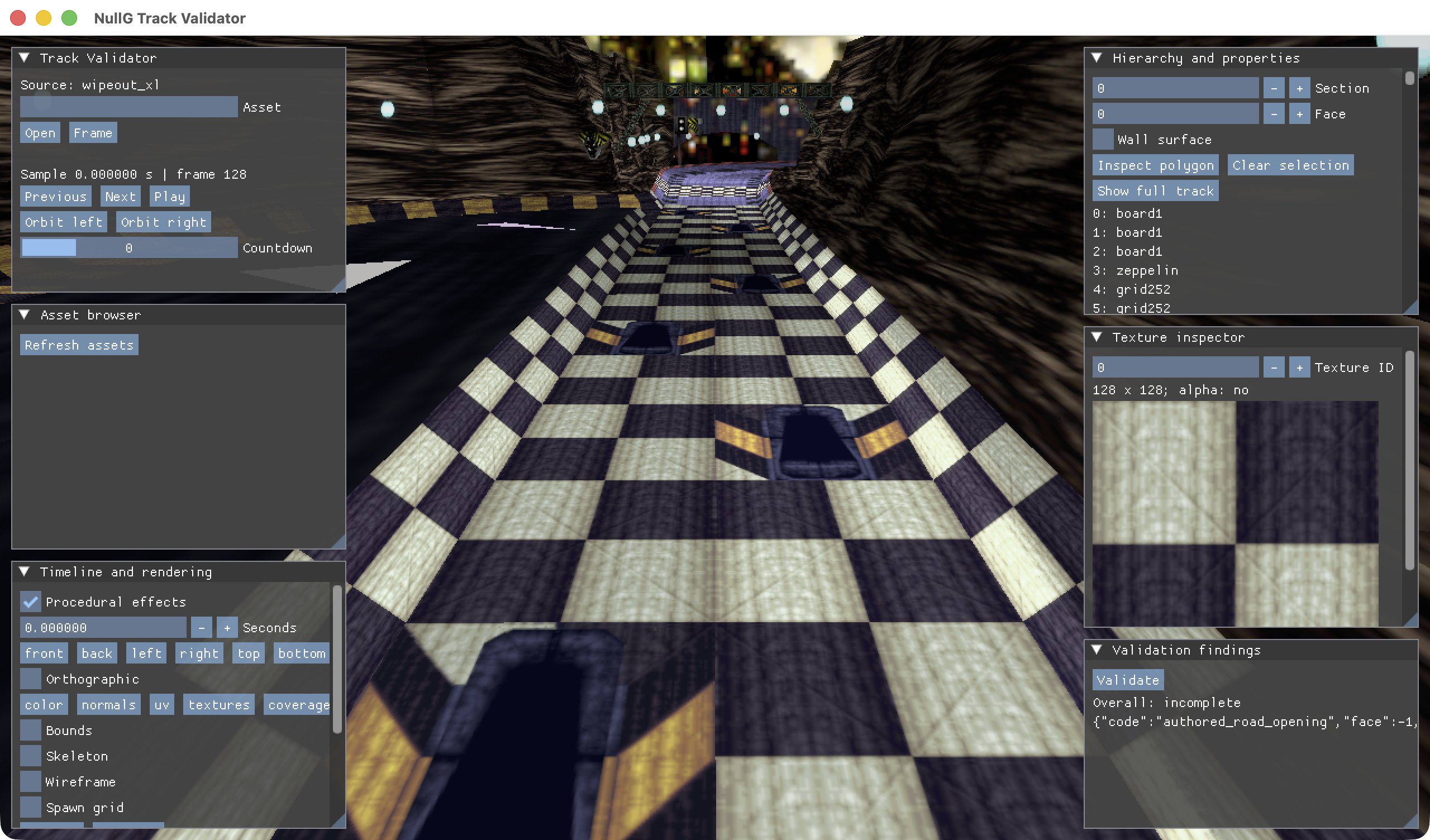
The track inspector, with the track view, texture panel, and playback controls.
The weapon harness opens a paused production race scene. An agent can deploy a weapon and advance the scene in controlled steps, inspecting a projectile, impact, or Quake effect at a specific point. Simulation state and rendered output can then be reviewed together.
Reactive engine plumes viewed through the MCP harness.
Physics tests compare movement with expected values, track checks inspect road geometry, and screenshots show the rendered result. Replaying the same inputs checks consistency across changes. Together, these tools let agents run a larger part of the validation process themselves, with reports and captures available for human review.
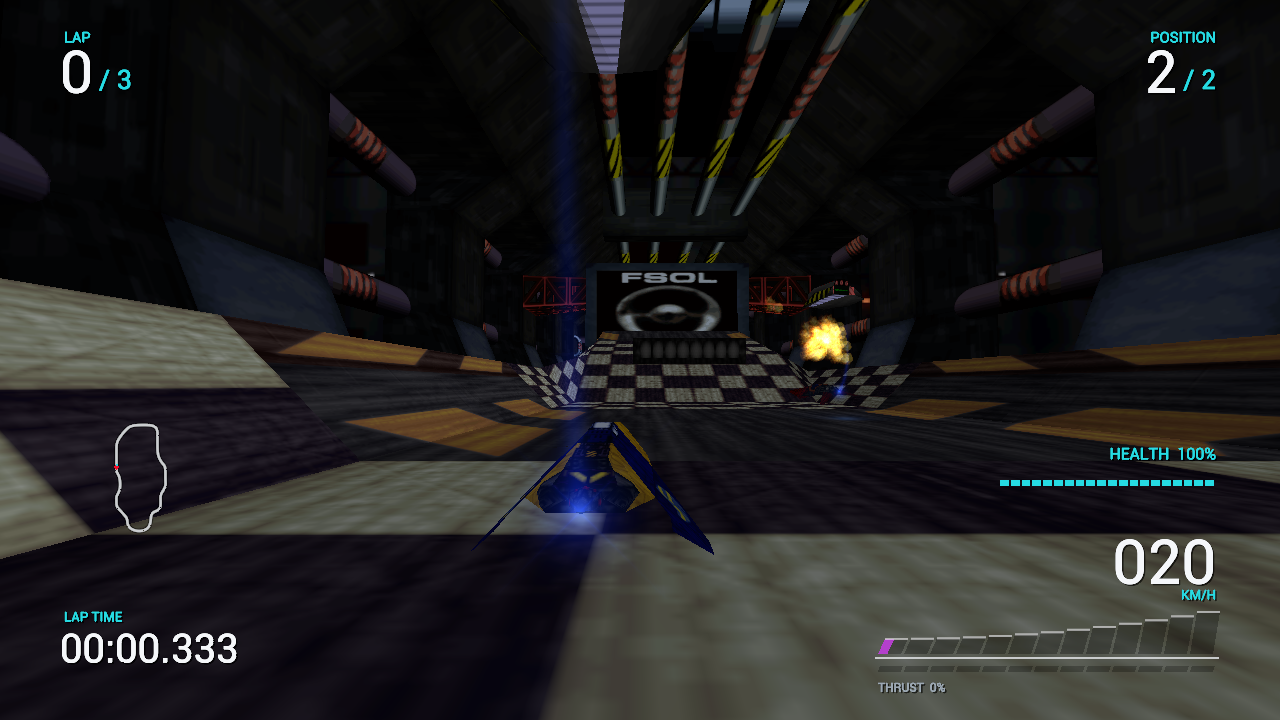
Working through a change
A weapon-effect investigation starts with a specific scene and setup. The agent deploys the weapon, steps through the action, checks the state, and follows the code responsible for the effect. After an edit, it builds the affected code and repeats the scenario.
Saved reports retain the inputs and settings. That allows the case to be repeated in another session or compared across versions. Visual review and gameplay testing provide additional checks on appearance and handling.
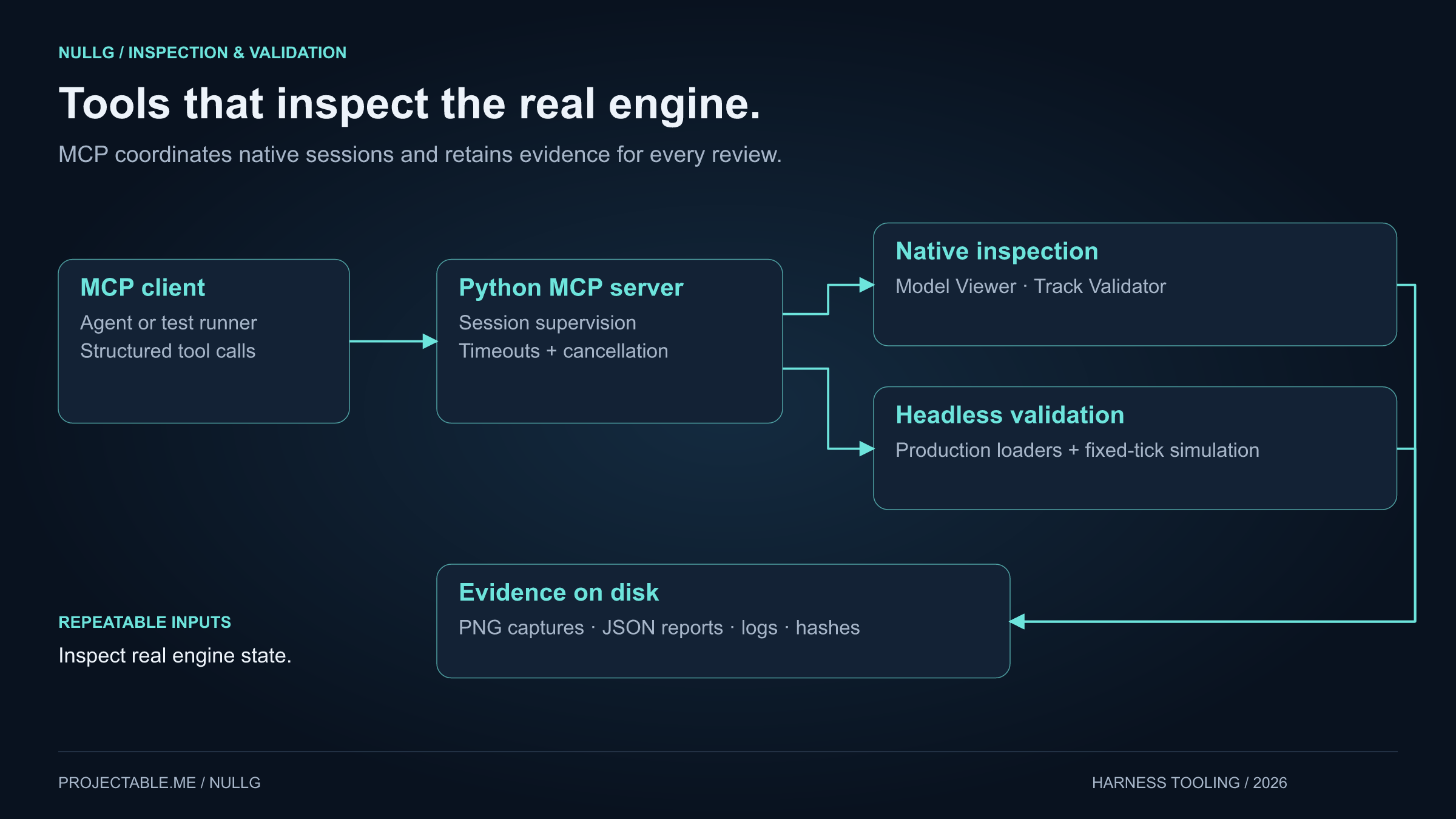
The agent can run a test, open an inspector, and save the results for review.
Reverse engineering WipEout XL
The October research also examined WipEout XL / 2097 behavior in more detail, including steering, weapon updates, starting positions, and animated objects.
REA, Reverse Engineer Anything, formed part of the research setup. It connects agents with tools for investigating applications and binaries. The PlayStation XL executable decompilation used a PSX-aware Ghidra workflow, with scripts retaining instructions, references, annotations, and findings.
The starting grid provides a useful example. Following the original track numbering and route links established where ships should start. Those findings became checks against the imported track, with the inspector showing the selected position on the road.
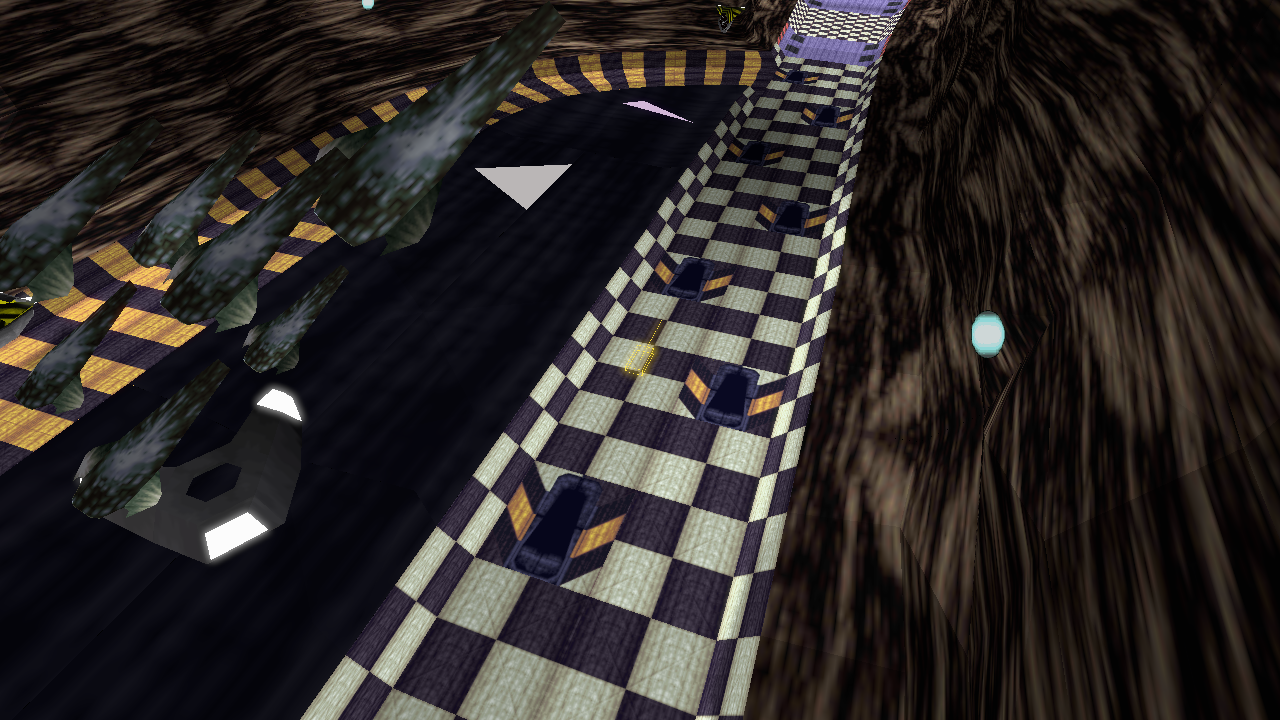
Checking a grid position against the track geometry.
The research covers both USA and European editions. Each finding retains the edition and executable details so timing values and behavior can be traced to their source.
Recovered calculations and state changes are implemented as small C++ reference models, tested, and then connected to NullG. The records distinguish behavior derived from the original executable, adaptations for NullG, and observations from running the engine.
Agent access to analysis tools makes this kind of detailed investigation more accessible to individual developers. Existing products can be studied one behavior at a time, with findings carried into tests and new implementations. For NullG, that supports continued refinement of racing behavior alongside modern rendering, controls, and multiplayer. Imported content comes from user-supplied game files, while original NullG assets are developed separately.
A wider wave of software reconstruction
REA's rapid rise in attention during early October put agent-assisted reverse engineering in front of a much larger audience. Coverage of its growth described a surge in interest around demonstrations of agents inspecting applications and reconstructing their behavior.
At the same time, “vibe-coded” alternatives to familiar creative and office software were attracting attention. ArtCraft's projects include photo, video, and PDF tools, alongside WordCraft, GridCraft, and DeckCraft, which target Word, Excel, and PowerPoint-style workflows. October coverage connected these AI-assisted projects with the growing interest in alternatives to Adobe and Microsoft applications.
These are separate projects exploring related possibilities: using agents to understand software, implement familiar workflows, and build tools around specific needs. NullG applies that approach to racing. Executable research informs individual behaviors, while tests, inspectors, and recorded scenarios provide ways to check the implementation. The same emphasis on repeatable validation carries through asset production and gameplay development.
Blender and model production
The Blender MCP concepts from those videos were applied to a specific job: preparing original menu models for the engine. Scene access let the agent inspect parts, make scoped edits, export a candidate, and produce comparison views within the same task.
The benefit was practical. Model changes could be checked from several angles in Blender and then reviewed at their actual size in NullG's menus. Saved revisions and repeatable exports made the process easier to iterate, while geometry checks and visual review stayed part of the finishing pass.
Blender MCP provides agent access to scene inspection, geometry and material editing, and visual review. The menu-model process starts with visual references and generated models where useful, followed by a Blender finishing pass.
That pass covers shape, individual parts, surface cleanup, materials, and polygon count. Models are reviewed from several angles, exported, and checked in NullG's model viewer and menus at their intended display size.
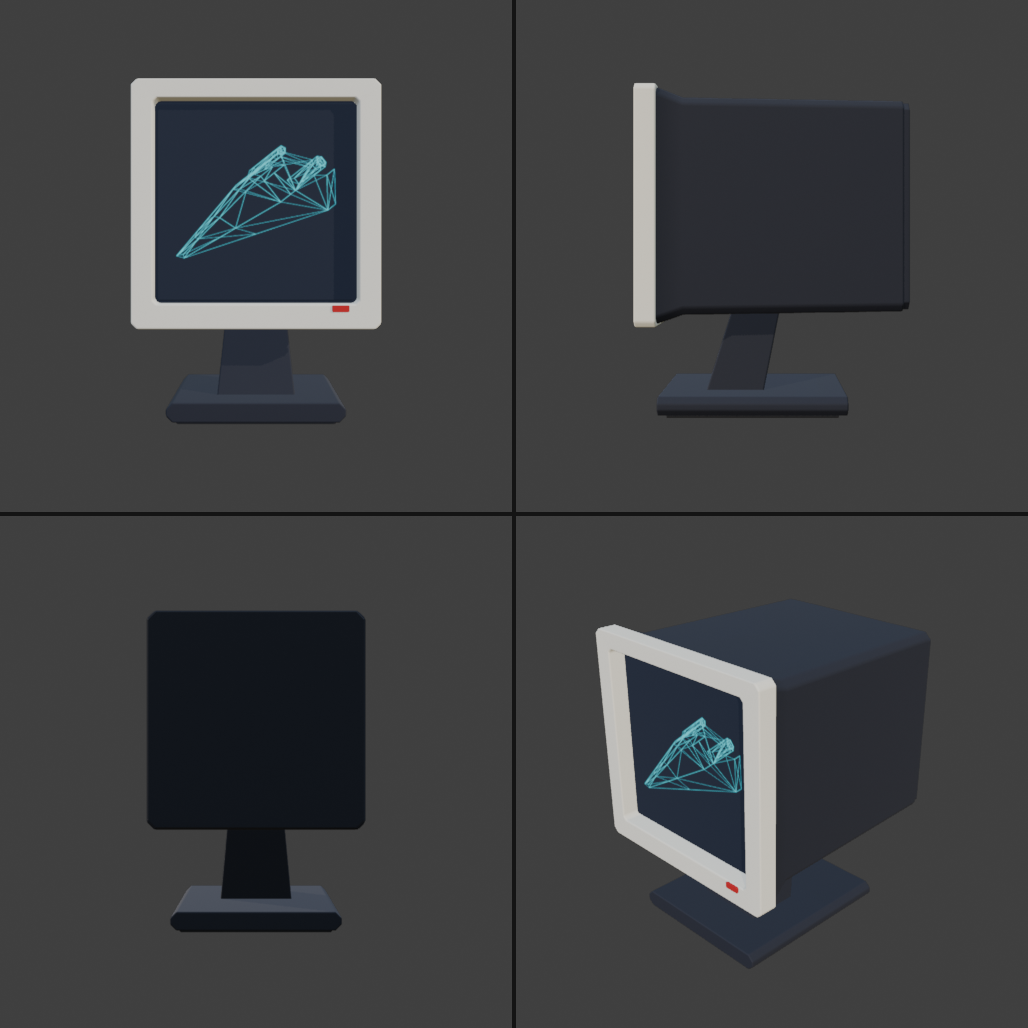
Front, side, rear, and angled review renders of the Graphics menu model.
The authoring files, exports, and comparison images remain available through each revision. Connecting these tools lets an agent work through research, code, tests, and visual checks within the same development session.
Race capture and social media
NullG includes race recording, replay playback, cinematic cameras, and video export. Recorded races can be rendered with ship-focused shots, action cuts, titles, and audio. Landscape, portrait, and square formats support both longer videos and shorter social clips.
The XL cinematic race intro.
Screenshot tools capture menus, starting grids, tracks, and weapons in action. Agents can help select and organize those captures, with settings and source details retained alongside the images. The same recorded race can support a gameplay review and provide footage for a project update.
Reinforcement learning for the pilots
NullG also includes reinforcement-learning experiments for computer-controlled pilots. A trained model selects ship controls during a race. Development agents help build the training tools, run checks, and prepare the results for review.
The pilot receives information about speed and direction, the road ahead, nearby ships, and pickups. It selects throttle, steering, air brakes, pitch, and weapon commands, which pass through the racing simulation as player-style inputs.
Training uses Python, Gymnasium, Stable-Baselines3, and PyTorch, with PPO as the learning algorithm. Native workers run NullG's race simulation, allowing several driving attempts to run in parallel while the training process updates the model.
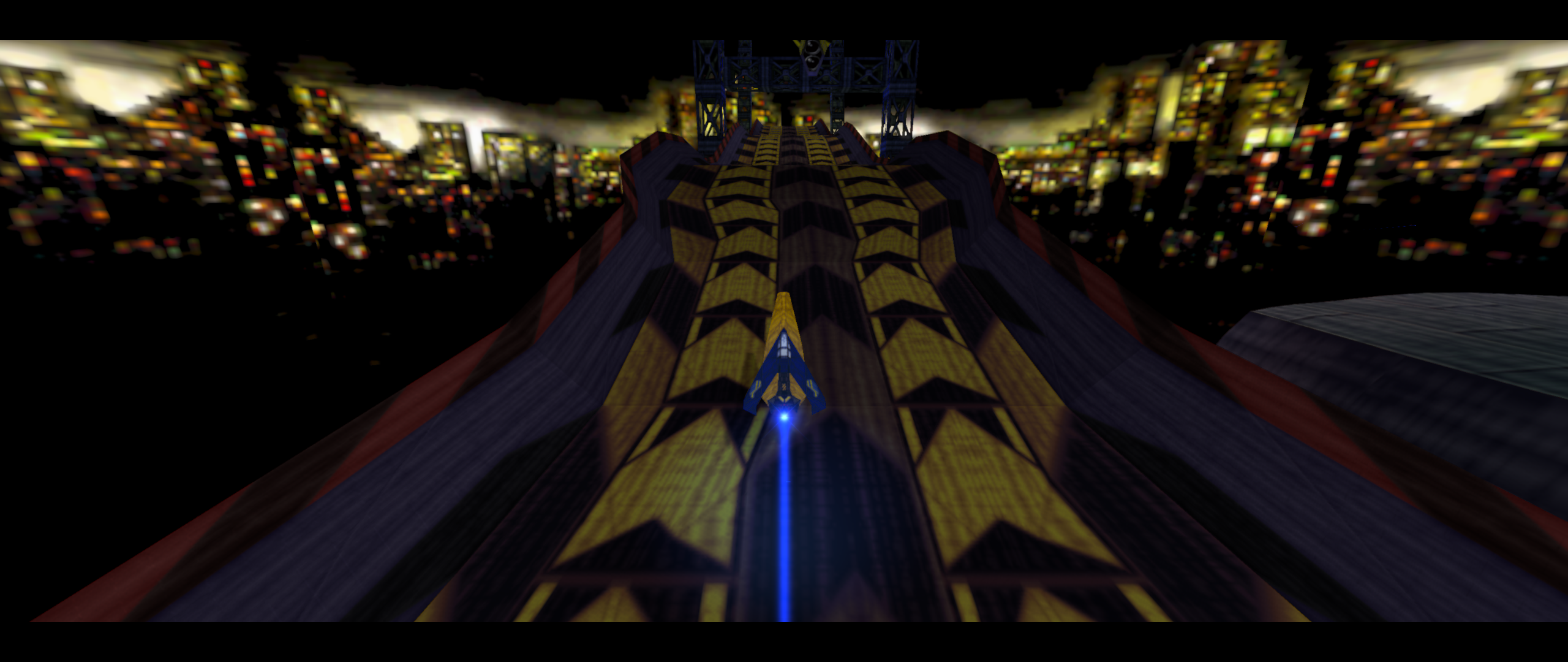
A frame from an RL evaluation replay on Gare d’Europa, rendered through NullG's replay tools.
Training and evaluation
A short run checks the training setup and controls. Longer runs save checkpoints for evaluation on a chosen set of tracks and race configurations. Saved settings and seeds allow those checks to be repeated.
Evaluation measures completion, time, damage, and steering smoothness. Traffic and combat scenarios also examine race position, pickup use, and weapon timing. Training checkpoints and policies approved for gameplay have separate evaluation steps.
Replays provide another view of the results. Chase cameras show ship movement through a corner, while overhead views show racer positions around the circuit. These views can be compared with the recorded controls and race metrics.
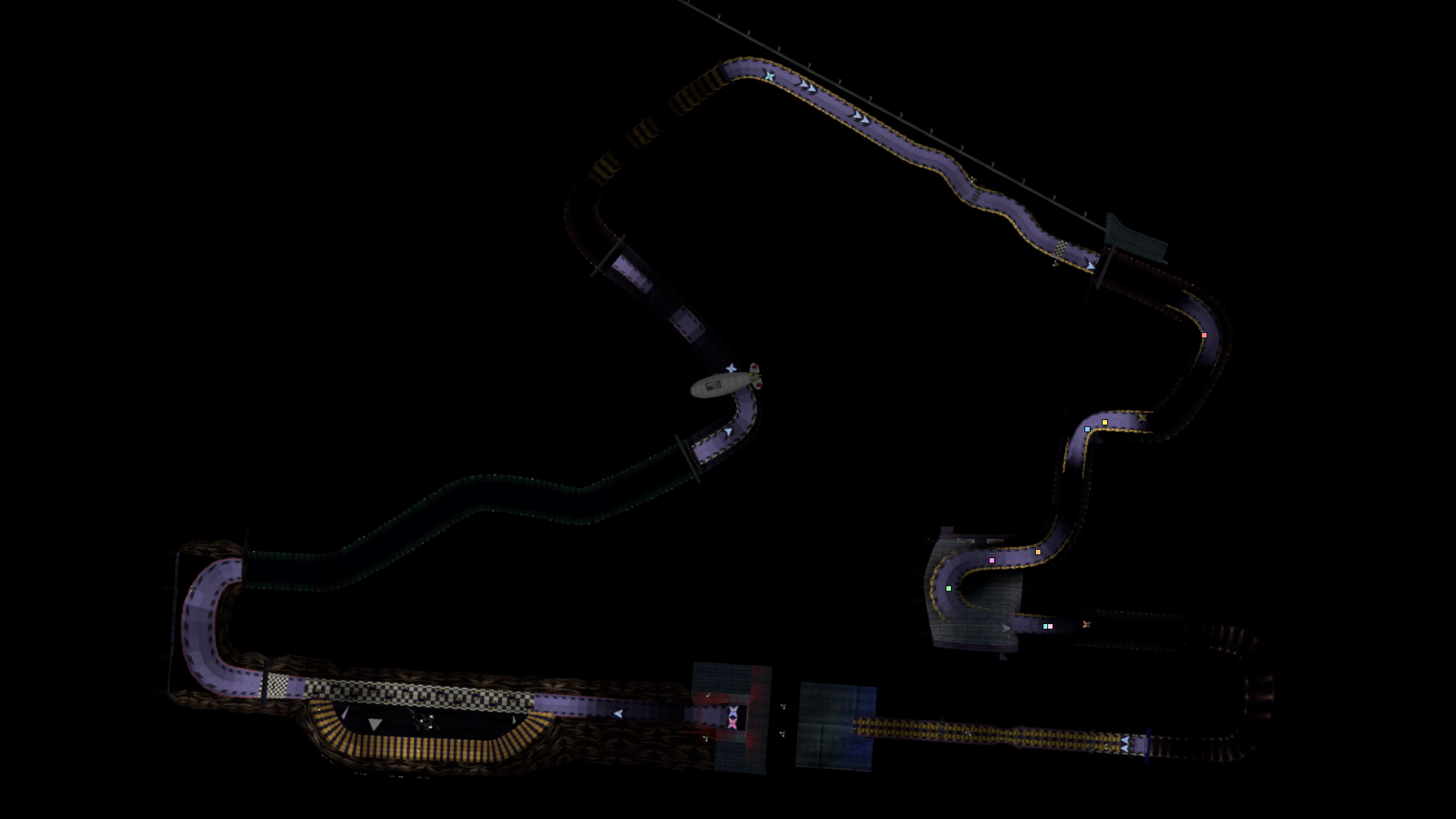
An overhead replay view from the RL development work, with colored racer markers.
The exported pilot is a compact model evaluated by native C++ code. Python handles training, and the game runs the exported policy. Retained checkpoints allow different training runs to be compared using the same evaluation setup.
Agents can run the checks, read reports, and prepare replay captures. This supports review of individual driving behaviors and produces footage for documenting the experiments.
An AI-driving training clip from the NullG playlist.
More detail is available on the MCP tooling page and reinforcement-learning page.
Publishing to projectable.me
The same agent-assisted workflow extends to publishing on projectable.me. Agents can prepare illustrated posts, update project pages, and organize development updates under the NullG project.
The process starts with the git history, project documentation, and relevant captures. An agent prepares the article, adds screenshots and video embeds, and saves a draft on projectable.me. The post can then be reviewed and edited on the site before publication.
This post follows that process, using repository history for the timeline, project documentation for the workflow details, and existing engine captures for the screenshots. Keeping these updates attached to the NullG project makes the development history easy to follow alongside the project pages.
Current state and next steps
NullG now includes racing, weapons, computer-controlled opponents, local split-screen, LAN and private online rooms, and replay tools. Inspection and validation tools support development across those systems.
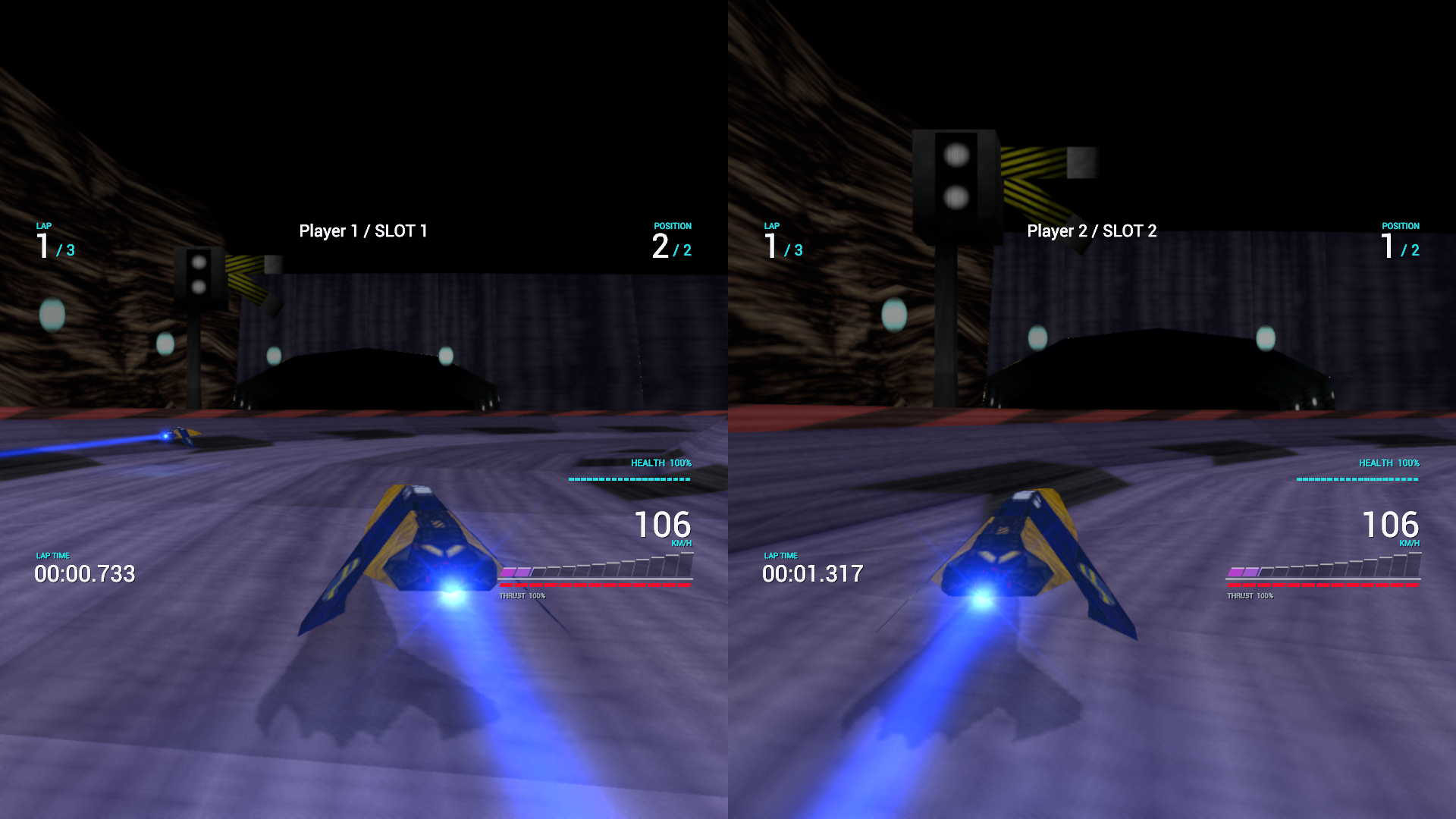
Two racers, two views, and independent HUDs in a NullG split-screen session.
The longer-term work includes original ships and tracks, sound, and handling for gamepad and simulator use. Motion output, positional audio, and multiple displays remain part of the simulator plan.
The NullG project pages cover the engine and its tools in more detail. Development footage is available in the NullG video playlist, with further updates collected in the project blog.