Harnesses Behind the Engine
NullG's MCP tooling turns the engine into a hands-on content studio. Agents, scripts, and test runners can open native inspection sessions, drive production viewers, capture images, launch validation jobs, replay recorded cases, and export finished video. The result is a workflow where creative review and technical evidence come from the same source: real engine state.
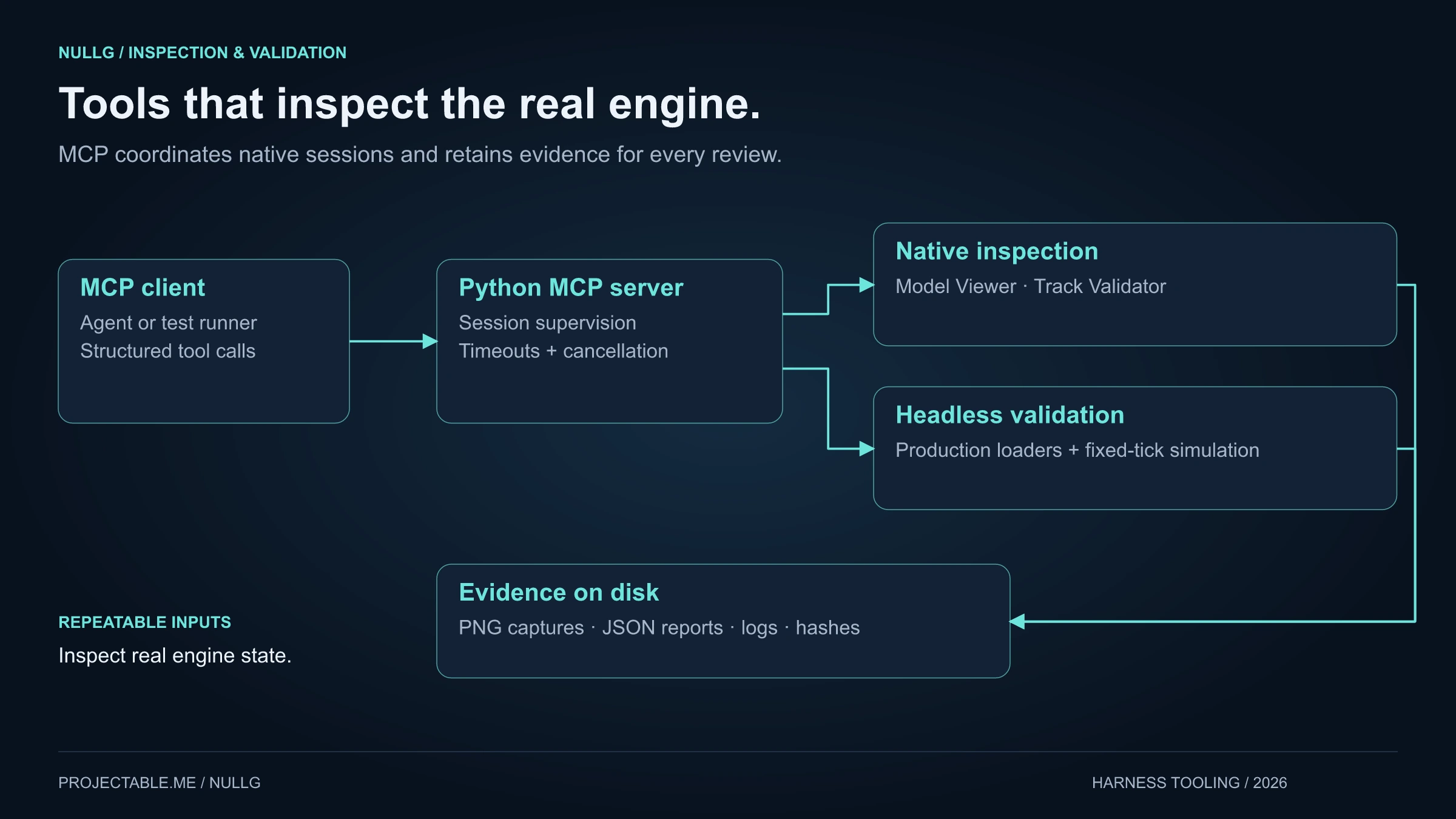
The MCP layer is intentionally practical. A client sends structured tool calls to the Python MCP server. The server supervises native viewers, model tools, track validators, and headless jobs. Every useful result can leave behind artifacts: PNG/WebP captures, JSON reports, logs, hashes, source identities, and replayable inputs.
That makes NullG easier to build and easier to show. The same harnesses that help validate tracks and models can also stage screenshots, capture social clips, review imported content, and turn race recordings into polished video.
Native inspection through MCP
The inspection server sits between an MCP client and NullG's native engine tools. It can open sessions, choose assets, move cameras, frame models, seek animation samples, toggle diagnostic views, capture stills, run validation commands, and cancel supervised work cleanly. Tool calls are deterministic enough for automation, while the native windows are visual enough for quick human review.
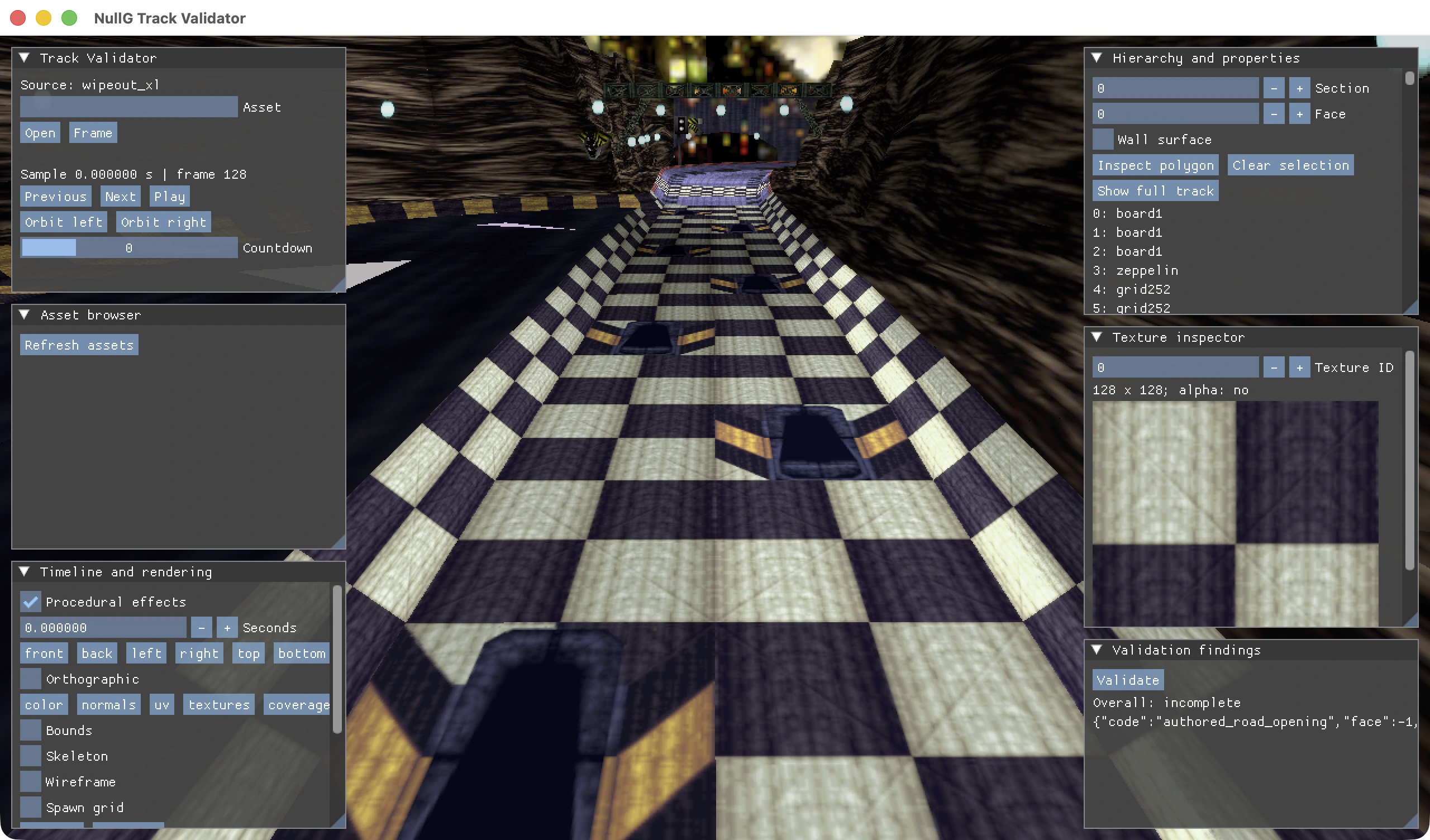
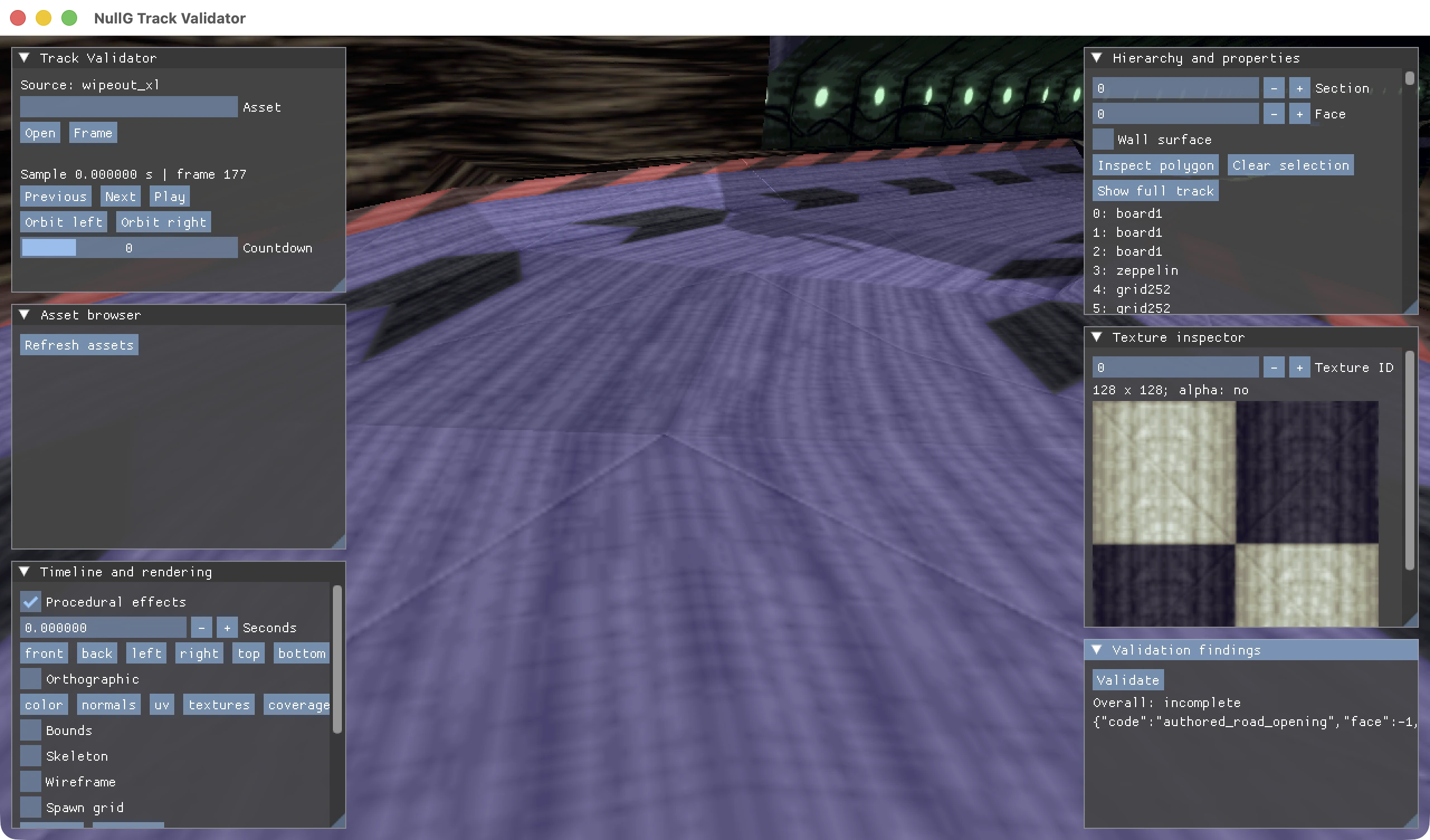
The Track Validator window shows how much context the harness exposes at once: the loaded source, the frozen sample, the track view, hierarchy selection, texture inspection, timeline controls, and the validation panel. It is a working review surface, not a static screenshot tool.
For content creation, that means a track can be loaded, framed, captured, and documented without launching a full interactive race. For engineering, it means a finding can point to the exact source asset, camera sample, texture view, report, and captured frame.
Track validation as a replayable workflow
Track validation is built around scoped cases. A case can target geometry, laps, traffic, a segment, hover behavior, acceleration/braking, jumps, safeguards, or a small diagnostic setup. The harness runs those cases through production simulation and independent geometry checks, then records coverage and findings separately so each result stays easy to reason about.
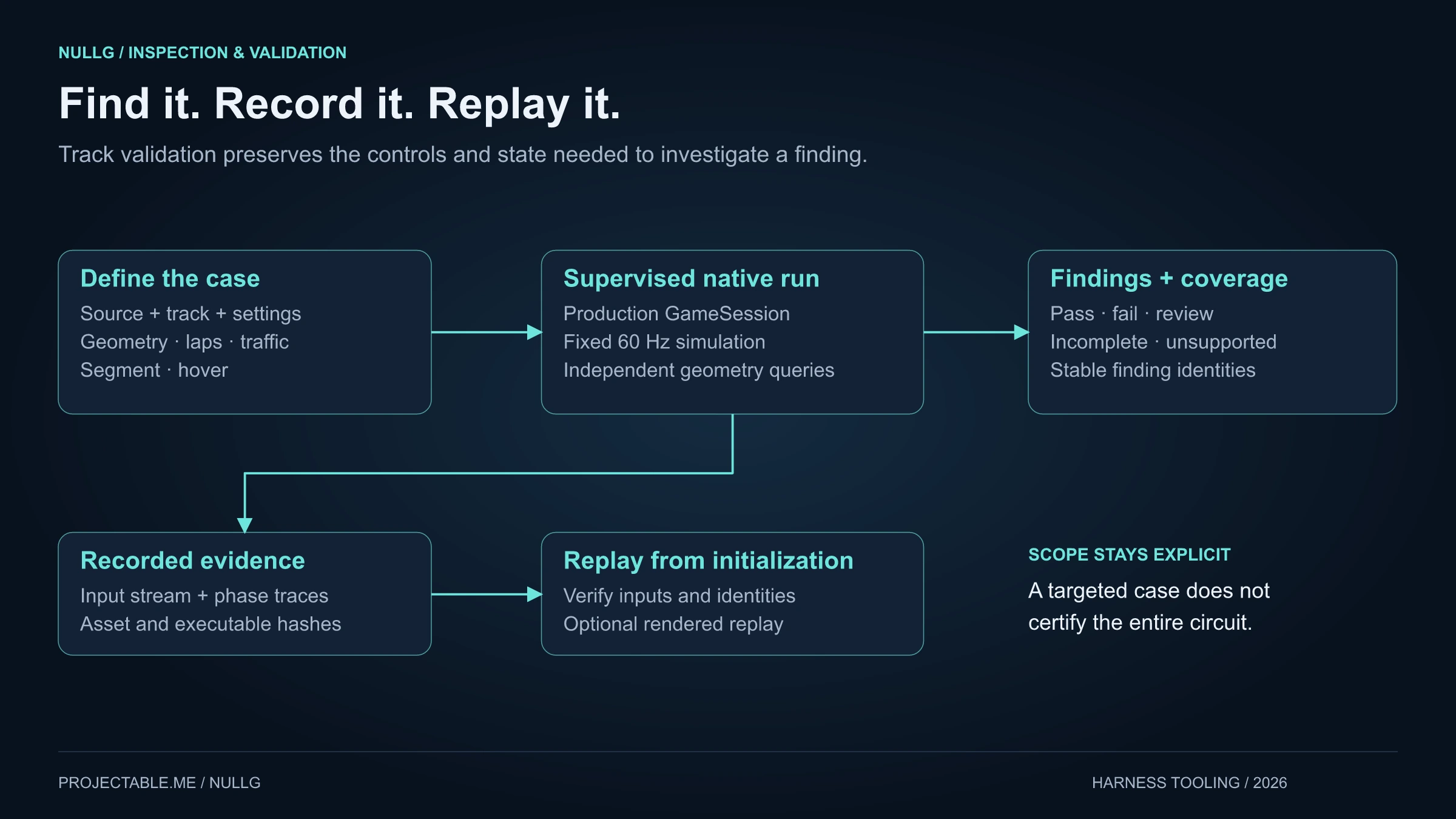
The important part is replayability. Inputs, phase traces, asset hashes, executable identity, and stable finding IDs are retained. A recorded case can be replayed from initialization, and optionally rendered, so a bug report can become a visual investigation instead of a vague note.
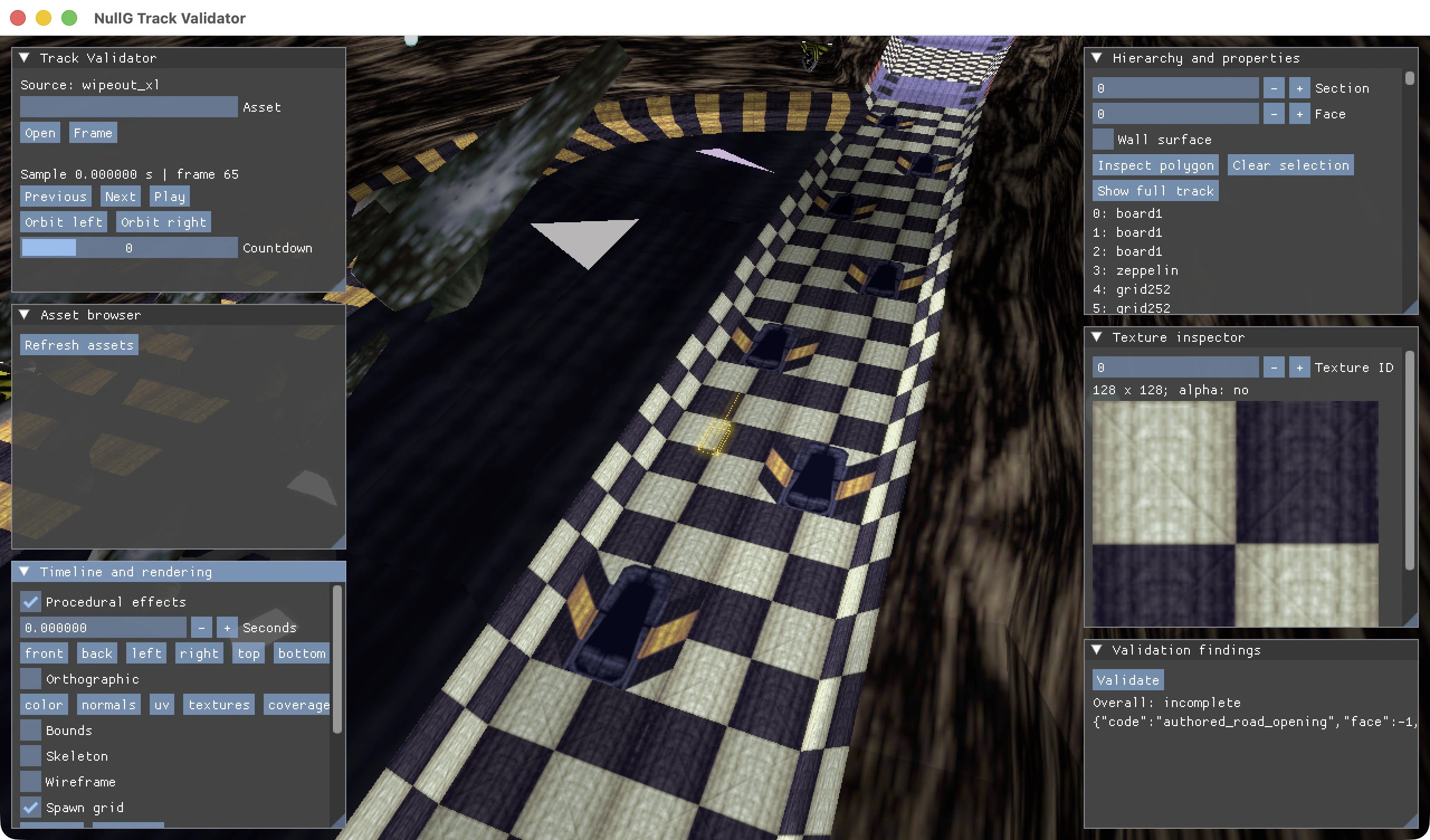
The spawn-grid capture shows the tool at its best: a tiny piece of gameplay setup is visible in the context of the surrounding track. The harness can review the anchor, road surface, nearby geometry, texture state, and source-qualified track identity in one place.
Streaming and runtime review
Runtime inspection checks how content behaves after the engine has loaded, streamed, and presented it. The MCP tools can compare complete and streamed geometry from the same camera and sample, save masks and reports, and preserve the evidence needed to reproduce the view.
That gives NullG a clean feedback loop for track presentation. A content change can be reviewed structurally, rendered from a frozen camera, and compared against the runtime state that the player actually sees. It is a strong bridge between data correctness and visual confidence.
Model inspection and content review
Model validation answers two related questions: does the asset load correctly, and does it look right in the engine? The structural path checks geometry, hierarchy, materials, posed bounds, texture references, and coverage. The rendered path captures frozen views with diagnostics such as color, normals, UVs, wireframe, bounds, and texture panels.
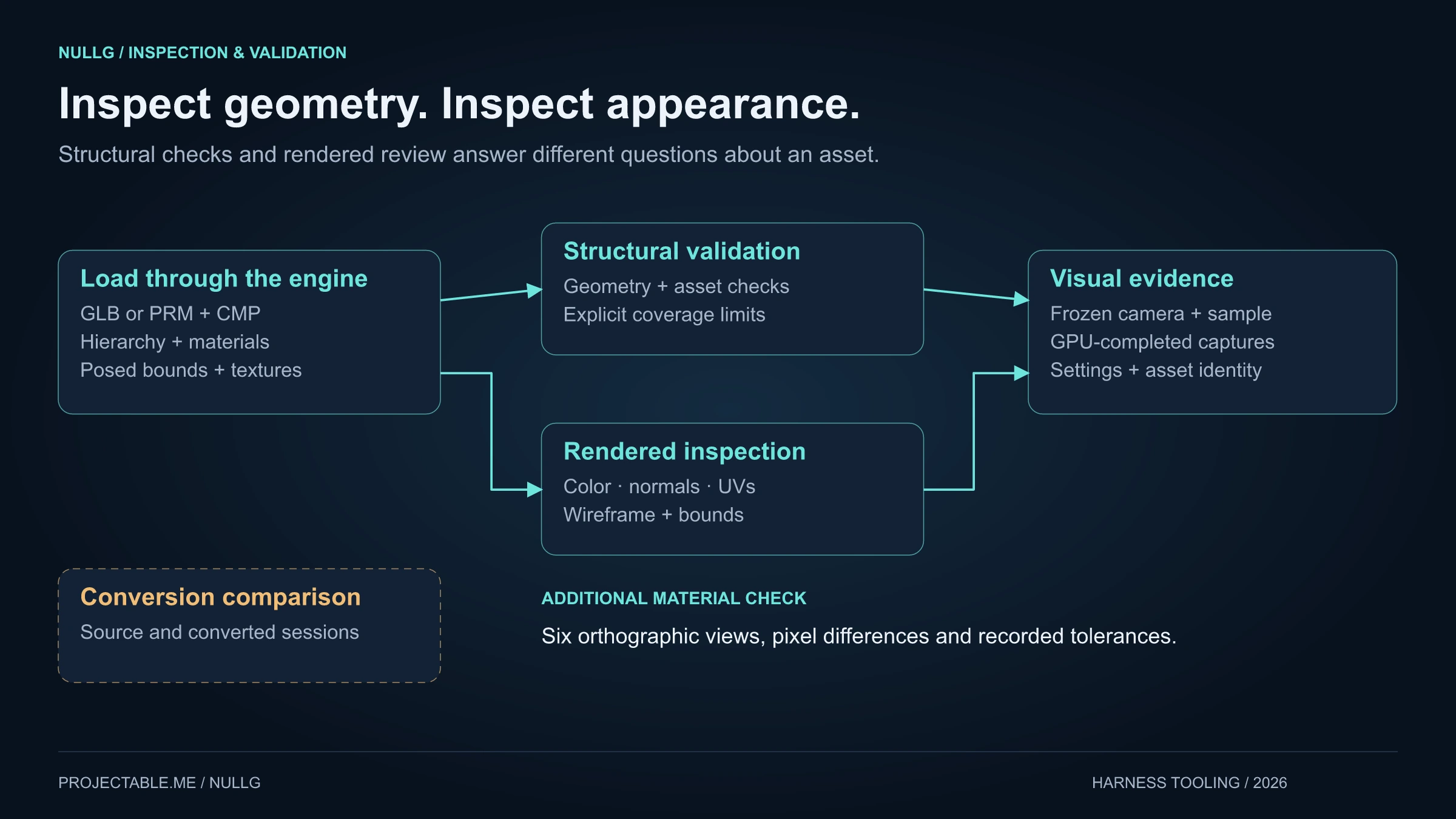
This is useful for both original and legacy content. Engine-owned models can be reviewed as part of the custom asset pipeline, while legacy archive objects can be loaded through the production source adapters and inspected with the same viewer controls.
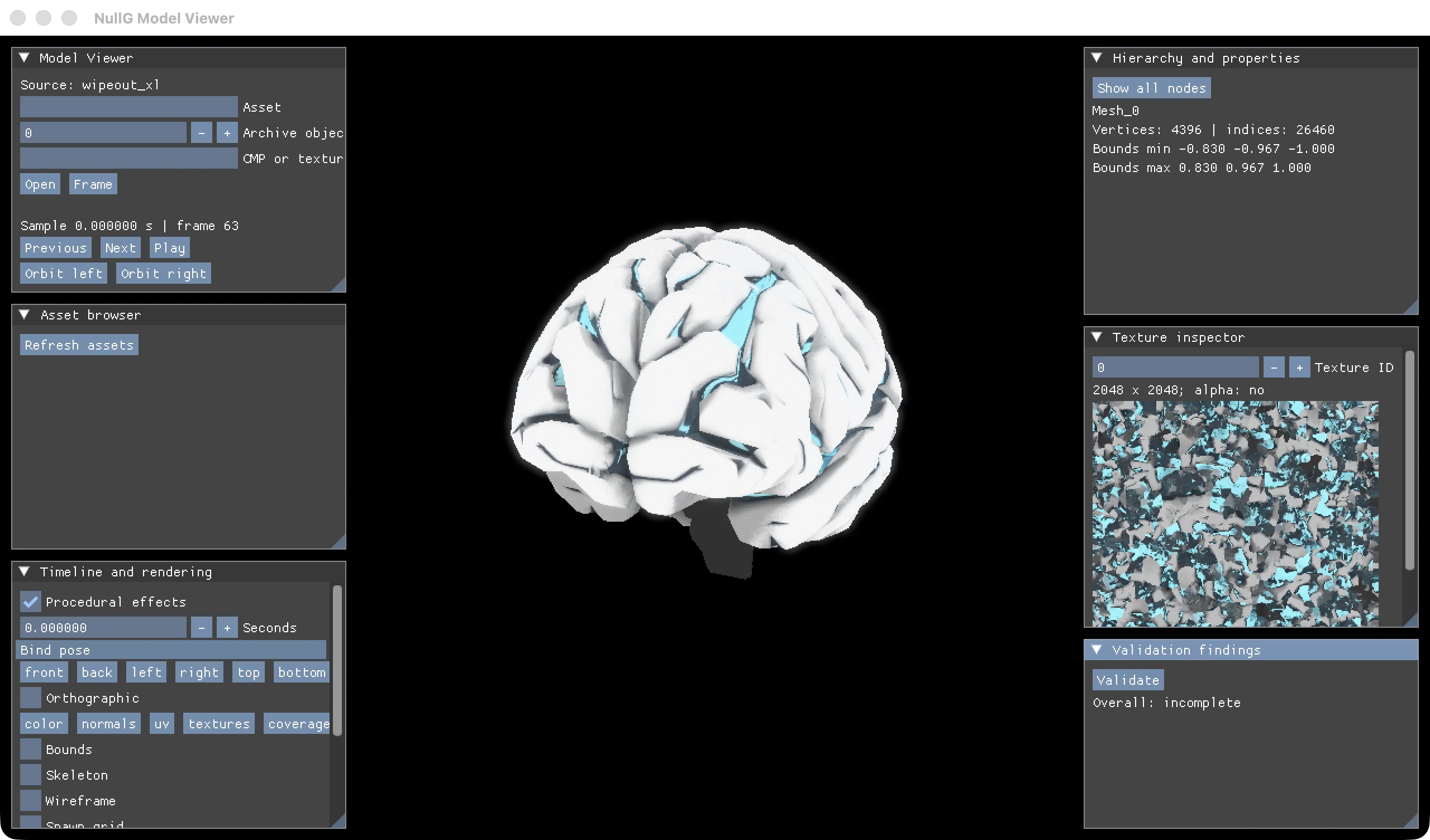
The model viewer gives the team a fast way to check bounds, triangle counts, texture resolution, orientation, and presentation quality. It keeps creative review grounded in runtime facts.
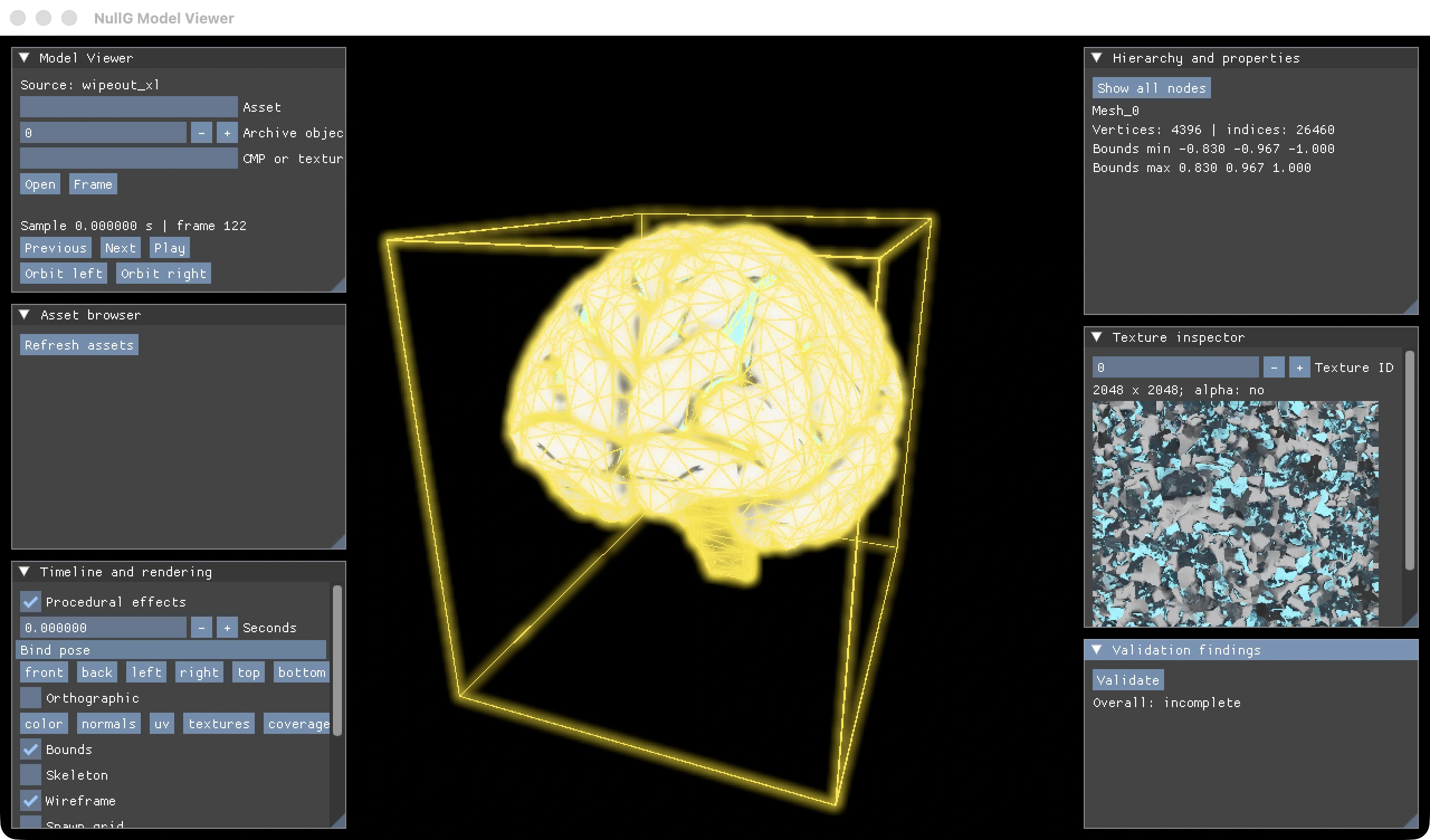
Wireframe and bounds overlays help turn a visual asset into actionable data. If a model needs adjustment, the review can point to scale, silhouette, mesh density, material assignment, or runtime framing with a matching capture.
Legacy model and diagnostic views
Legacy assets are handled with the same care. A ship object from an XL archive can be resolved against its texture source, opened in the native viewer, and reviewed beside geometry and texture properties.
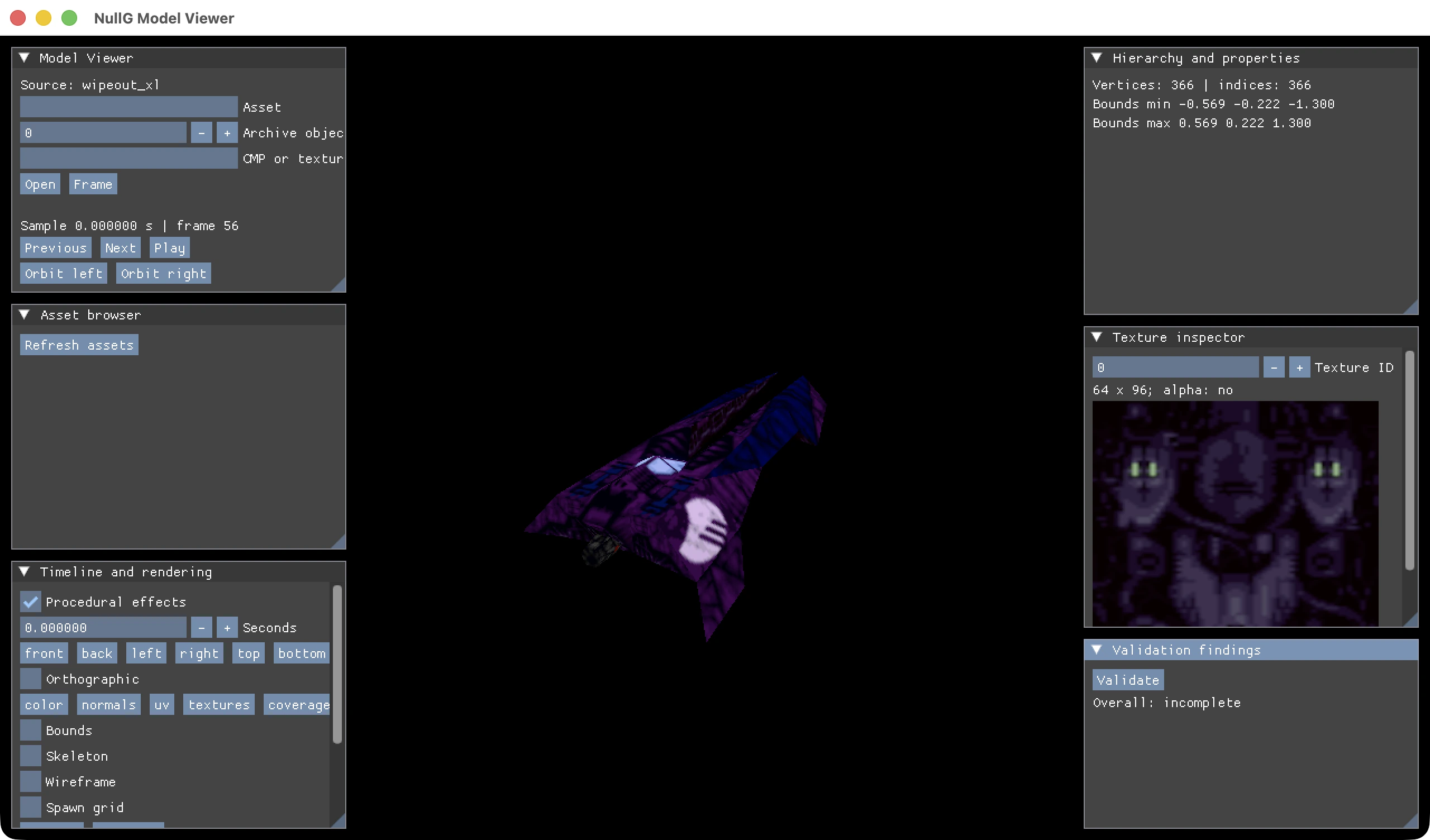
Diagnostic modes make that review deeper. Surface-normal views, wireframes, bounds, UVs, and clean GPU readbacks help separate artistic presentation from data shape.
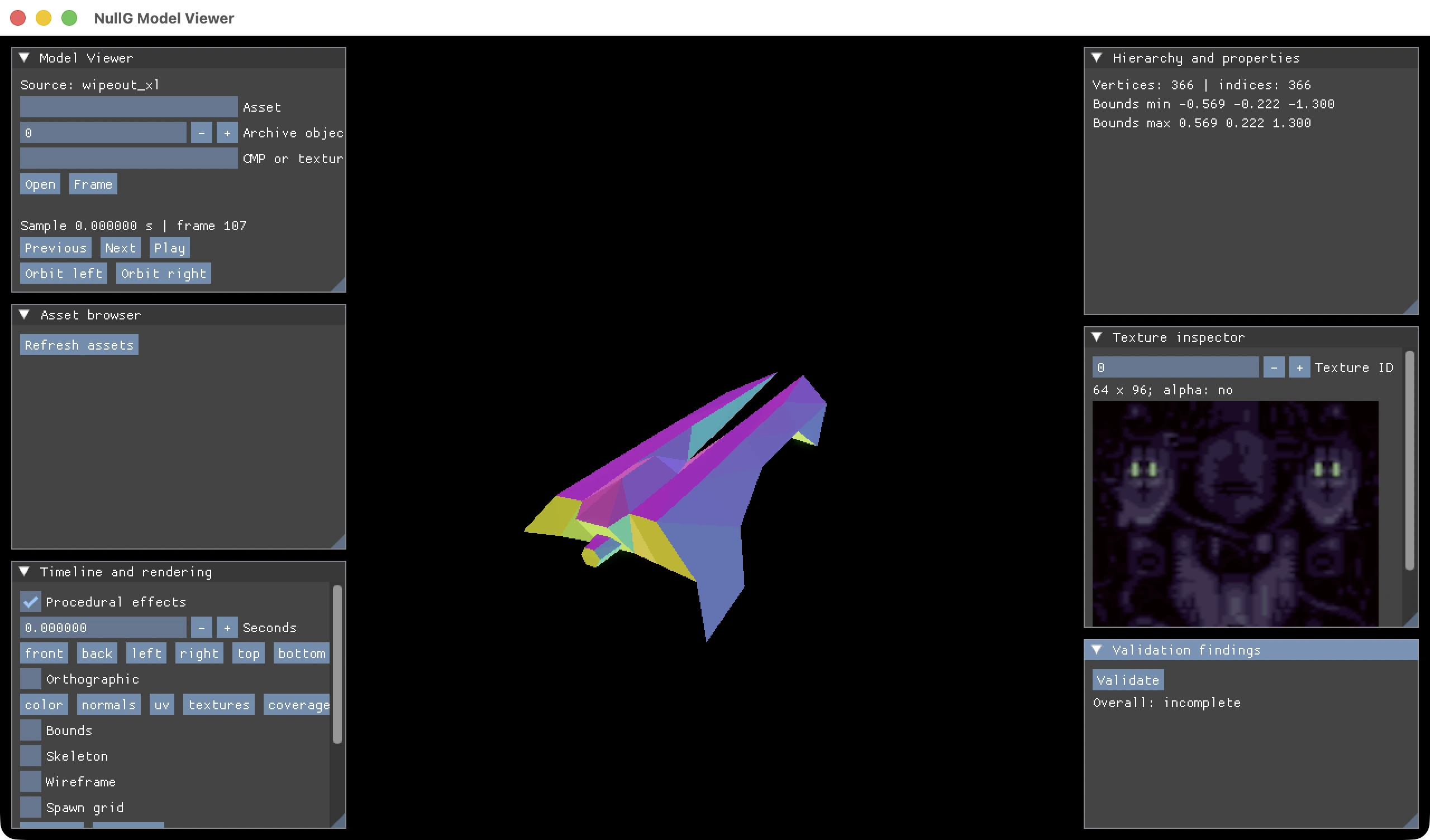
This is the kind of tooling that makes source-qualified content practical. The engine can keep legacy assets organized, inspect them in their native context, and still present them through modern review surfaces.
REA and source-grounded research
NullG also uses REA as part of the local research workflow. REA connects agents to reverse-engineering tools through MCP, which makes it a natural fit for source-derived engine work. In the XL / 2097 research path, executable evidence informs control ramps, regional cadence, physics quantities, controller behavior, weapon state, animation consumers, and Windows resource contracts.
The MCP harnesses then turn that research into engine-facing review. A source-derived rule can be implemented in C++, exercised by tests, opened in a native inspection session, captured as a frame, and retained as evidence. That gives NullG a practical bridge from preservation research to visible gameplay behavior.
Cinematic director, RL replays, and milestone capture
The replay system records bounded .ngreplay files from authoritative race state. Those files feed the cinematic director, which can focus racers, follow events, choose stable chase framing, handle cuts, apply replay intensity, and keep camera motion readable. The same flow works for human races, all-AI promotional captures, and reinforcement-learning evaluations.
RL evaluation episodes can record replays alongside metrics, event ticks, seeds, fingerprints, and simulation revision. Milestone rendering can then launch the replay exporter and produce shareable landscape or portrait videos. That makes training progress easy to review visually: lap completion, traffic decisions, combat choices, recovery behavior, and route safety can all be watched as directed race footage.
Video export with overlays and splicing
replay_video.py is the finishing tool. It can generate all-AI races, render existing replays, select landscape/portrait/square presets, trim source ranges, focus racers, adjust speed, apply camera seeds, and tune intensity. The capture path uses the engine's replay renderer, then the finishing path builds the actual video.
The exporter handles the pieces that make footage feel ready to post: opening lower-thirds, wordmarks, closing titles, optional endpoint fades, matched audio crossfades, and cross-dissolves between accepted replay cuts. It trims moving shots, splices them into a final timeline, applies overlays in safe areas, and publishes the MP4 only after the report, audio, video, and frame counts agree.
For social media, this matters a lot. NullG can select a high-action battle candidate, render it with the cinematic director, export portrait and landscape versions, and keep the replay/report pair that explains exactly what was captured.
Why this page exists
The MCP tooling is not separate from NullG; it is one of the reasons the project can move quickly. It gives the engine a language for asking good questions:
- What source asset did this come from?
- What exact case produced this finding?
- What did the engine render at this frozen sample?
- Can the same input stream be replayed?
- Can this race become a polished video?
- Can this model or track be reviewed by both a human and a test runner?
That is the heart of the NullG tooling story: content creation, automated testing, cinematic capture, source research, and social media output all share the same evidence-friendly workflow.